Many websites assume visitors are on recent web browsers (mostly Chrome), with JavaScript enabled. This can make sense for most websites, given many update web browsers regularly (often via auto-updates), and freeing up web developers’ time that would be spent on debugging across various browsers.
However, Ferron (the web server I’m building) has a specific, technical audience, which may include:
- people mindful of privacy and security, who disable JavaScript using no-script extension of some sort
- system administrators with resource constraints, relying on lightweight browsers like NetSurf
- system administrators on slow networks (or unreliable, since they might manage networks themselves) that quickly leave slow-loading, resource-intensive websites
- those who prefer terminals and text-mode browsers like Lynx, w3m, or Chawan
In this case, handling browser compatibility like most websites could break usability on constrained browsers.
So I performed various compatiblity improvements to improve UX for them. Below is how I did it:
No-JS compatibility
First, one that improves UX of those mindful of privacy and security. Many websites assume JavaScript is enabled, with no no-JS fallback. However, this can render them unusable when JavaScript is disabled.
Overall, the new Ferron website uses little JavaScript for interactivity (since this is a landing page + blog + docs site!) and tracking (disabling JavaScript would also disable tracking, which might make the traffic more opaque for me, but at least this shouldn’t make it unusable)
One example is the documentation site. The new documentation site uses several components that involve JavaScript:
- Documentation product switcher: in earlier design, it won’t switch without JavaScript, but now, auto-hide would require JavaScript, while basic functionality doesn’t require JavaScript (this is because I replaced
<select>and<option>with<details>,<summary>and<a>). - Documentation search bar: this uses Pagefind, which requires JavaScript. It could be possible to host documentation search without JavaScript required, but it would require a backend (the site is hosted via static file serving only), and would involve sending a search query to the server.
- Accordions on the sidebar: if JavaScript is disabled, they’re always expanded (if they were collapsed, they couldn’t be expanded!).
- Current section indication: if JavaScript is disabled, it won’t highlight current section, but at least documentation is still readable.
Also, the downloads page uses tab switcher, which depends on JavaScript. When JavaScript is disabled, all downloads appear instead of only some.
Ah, and when writing this post, I made the mobile menu work without JavaScript enabled (using checkboxes), so those on mobile without JS enabled won’t get bad UX either.
NetSurf, text-mode browsers, and other contraints…
Now this is getting interesting, given that this involved custom PostCSS plugins.
The current website uses Tailwind CSS v4, which might not be compatible with constrained web browsers (since it uses modern CSS features like @layer). So I tried out UnoCSS by migrating the website to it. Though while migrating I got a configuration with typography and Wind4 (Tailwind CSS v4 compatiblity) presets, which let me still write Tailwind CSS-style classes.
The result? Even without PostCSS, the layout is alright in Firefox 80, however colors were broken, because this version of web browser doesn’t support color-mix(). But at least it’s better than with Tailwind CSS v4 (which would look in Firefox 80 as if there was no CSS).
So I decided to use PostCSS plugins. Here’s the PostCSS configuration for the new site:
// -- imports snip --

const config = {
  plugins: [
    unocssApplyPlugin(), // @apply fix
    propertyFallback(), // @property initial-values as a @supports fallback
    gradientFix(), // "to right in oklab" -> "to right"
    removeProperty(), // strip @property at-rules from the output
    deleteUnoCSSFallbacks(), // drop UnoCSS @supports leftovers and probes
    transformShortcut(), // rotate/scale/translate -> transform3d fallback
    emptyVarFallback(), // var(--x,) -> var(--x, )
    colorMixVarResolver(), // resolve vars inside color-mix()
    webkitMarkers(), // ::marker -> ::-webkit-details-marker for Safari
    postcssCalc,
    postcssMediaMinmax,
    postcssNesting,
    logicalToPhysical(), // CSS logical properties/values -> physical + RTL override (after nesting)
    postcssOklabFunction,
    postcssColorFunction,
    postcssColorMixFunction,
    autoprefixer,
    cssnano,
  ],
};

export default config;
Even CSS variables are covered here, to make it (somewhat) work with NetSurf.
After the PostCSS treatment, I got the styles working in both Firefox 80, and Ungoogled Chromium 84 (I wanted a “portable” executable for a Chromium-based browsers, and Ungoogled Chromium is the first working option I found).
However, I saw the search bar wasn’t working (it uses Svelte 5). I applied this, and it seems to work just fine for Firefox 80:
// -- import + helper snip --

export default defineConfig({
  // -- astro snip --
  vite: {
    // -- vite snip --
    build: {
      assetsInlineLimit: 0,
      chunkSizeWarningLimit: 600,
      target: ["firefox80", "chrome80", "safari14"],
    },
  },
});
I chose Firefox 80, Chrome 80 and Safari 14 as baseline (to make them work with web browsers from 2020 and later).
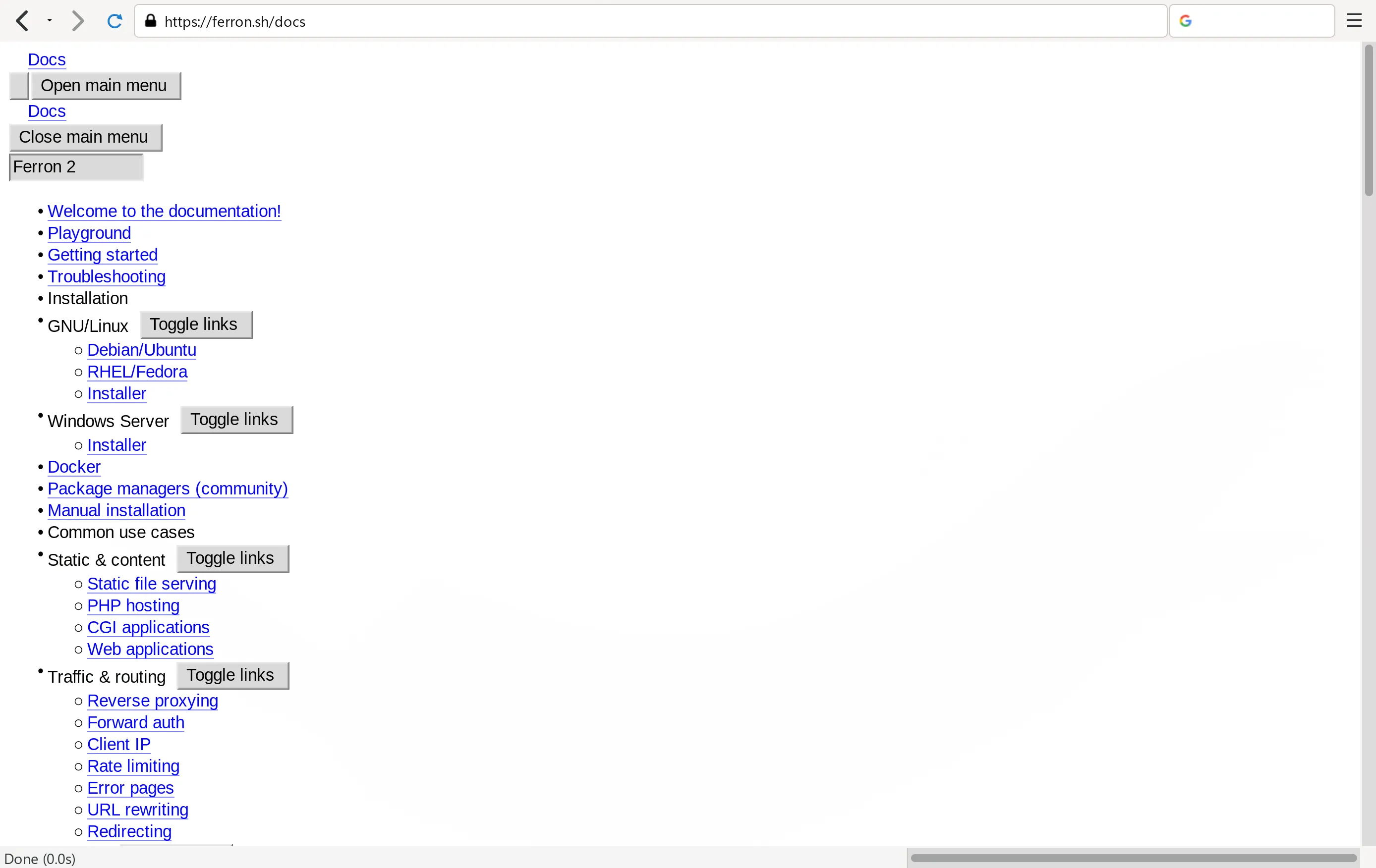
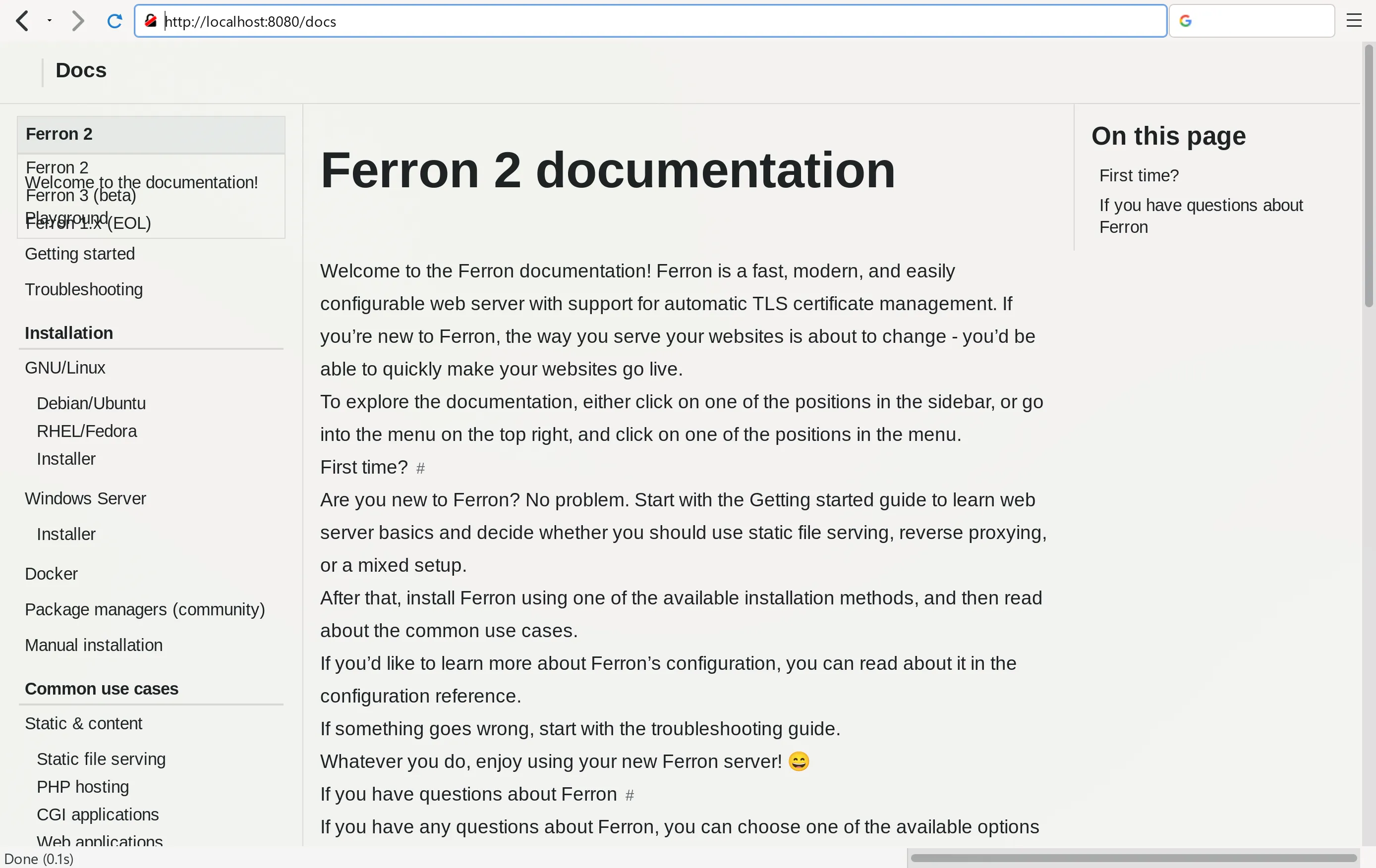
Here is how both documentation sites look in NetSurf:
Safari-specific bugs
Ah, Safari, the web browser some dub the “new IE”!
When I checked the site on Safari on my old MacBook (from early 2015), it looked mostly alright, although I saw two issues in documentation:
- product selector had an arrow on the left (other browser didn’t have this issue).
- when a product in product selector was chosen, the link didn’t load! It just got hidden.
The first bug was because to hide the arrow, Safari would need ::-webkit-details-marker (no ::marker or appearance: none;) on <summary> element. So I did exactly this, using a new PostCSS plugin.
The second was because the JavaScript logic uses e.relatedTarget inside focusout handler, but as I was using older Safari version, e.relatedTarget would often be null instead of intended HTML element. So I worked around that using document.activeElement and short timeouts instead.
Yeah, I saw subtle bugs with Safari for a site that would otherwise display well (better than NetSurf or text-mode browsers).
Though many tend to download Chrome (or some other modern, capable browser) on macOS anyway, Safari is included in macOS.
The recap
I have successfully managed to make the new website compatible with JavaScript disabled and constrained browsers, so to improve UX in constrained environments.
From no-JS compatibility, through UnoCSS migration, to Safari-specifc bugs, it took quite some work, but it would be worth it.
The redesigned website will go live once Ferron 3 gets a stable release by the way.